
Convert Image to STL for 3D Printing
Drop a photo. Our image to STL converter builds a ready-to-print 3D model in minutes.
No 3D modeling skills needed.
Click or drag to upload
JPG or PNG · 256–6000 px · max 5MB
Your 3D model will appear here
Upload an image or describe what you want, then click Generate.
Why Creators Pick Our Image to STL Tool
We built this image to STL platform around the things other converters consistently got wrong.
No 3D Skills Needed
Most 3D tools take weeks to learn. Our image to STL tool skips the learning curve. Upload a photo, download a printable file.
Minutes, Not Weeks
Traditional modeling takes hours or days. Our image to STL converter finishes most jobs in minutes. Go from idea to printable STL while you make coffee.
Multi-Angle Support
One photo works for most jobs. For trickier subjects, upload up to four angles of the same object and our image to STL converter combines them into one model.
Detailed by Default
Some tools output blocky, simplified meshes. Every image to STL job runs at full detail by default, so contours and surface lines survive into the mesh.
Always Private
Your uploads and image to STL files stay tied to your account. We do not share them in any public dataset or use them for training.
Built for Commercial Use
Paid plans include full commercial rights. Use your image to STL files for client work, online shops, or products you sell.
How Our Image to STL Converter Works
Four steps to run your first image to STL conversion.
Upload Your Image
Drop a JPG or PNG into the image to STL uploader. Use one photo, or a few angles of the same subject for better accuracy.
Pick Texture (Optional)
Skip texture for a clean image to STL file, or add Standard / HD color texture for the 3D preview and GLB export. The mesh is the same either way.
Preview in 3D
Check your image to STL result in the in-browser 3D viewer. Rotate, zoom, and inspect every angle. Tweak the texture or rerun before downloading.
Download Your STL
Grab the finished image to STL or GLB file from the browser. Load the STL into your slicer, or the GLB into any modeling tool or game engine.
Inside Our Image to STL Pipeline
What goes into every image to STL run so your output is useful to print or export.
Who Uses Image to STL
Six kinds of creators replace hours of modeling with a single image to STL job.
3D Printing Hobbyists
Upload a phone photo and have it printed tonight. Our image to STL output works with common hobbyist slicers and every export is full detail by default.
Product Designers
Run a reference shot through our image to STL pipeline and hand a physical prototype to stakeholders by lunch. Feel the real ergonomics before building a full CAD model.
Game and AR/VR Developers
Run concept art through our image to STL tool and export as GLB for any modern game engine or AR/VR project. Great for rapid prototypes and filler assets, so senior modelers can focus on hero work.
Teachers and Educators
Our image to STL tool turns a diagram into something students can pick up and pass around. Better than anything they can look at on a screen.
Gifts and Keepsakes
Put a portrait or a child's drawing through our image to STL tool and you get a 3D keepsake. Print it out, paint it yourself, and hand them something they'll actually keep.
Tabletop Hobbyists
Feed concept art into our image to STL engine and get printable miniatures for tabletop games or terrain. Detail holds up well enough to hand-paint.
Real Image to STL Conversions
Drop in a photo. Get a printable 3D model. These are real image to STL conversions, not renders.
 Input
InputTextured preview. STL download is mesh only.
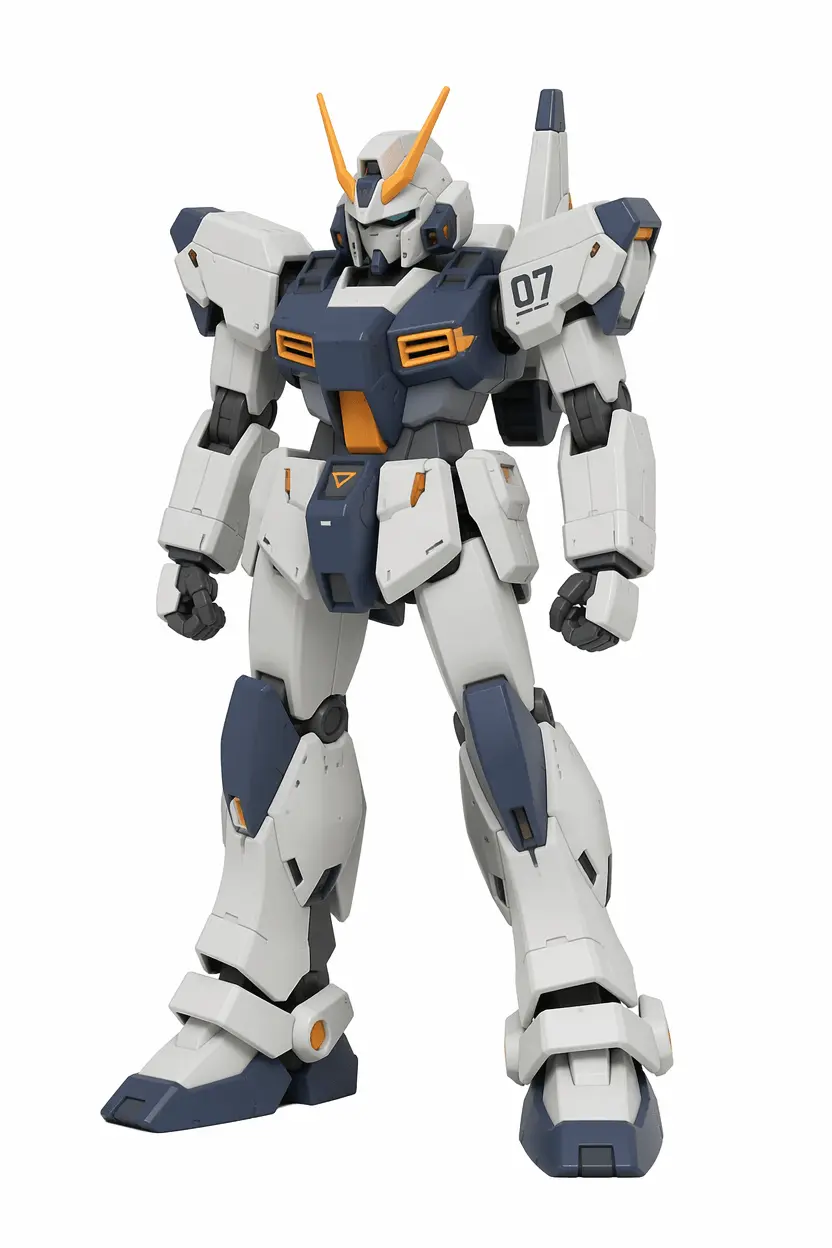
Anime Mecha
One front photo, one image to STL run. The mesh kept the panel lines sharp and the armor plating clean. Even the head antennas landed exactly where they should. Drop it into your slicer, scale it for a desk figure or a shelf piece. Every detail you'd want to paint is already there.
 Input
InputTextured preview. STL download is mesh only.
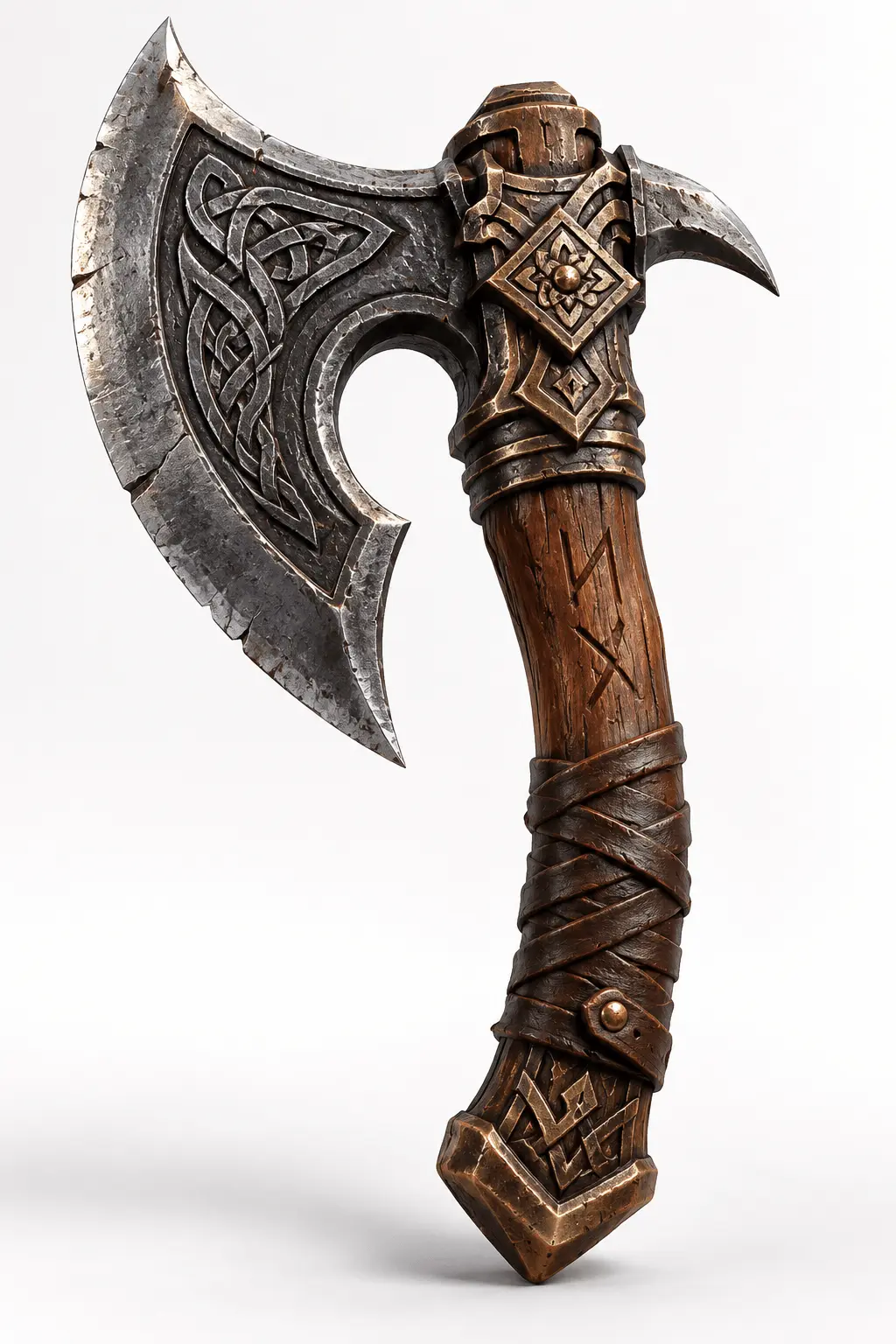
Game Assets
A game axe with a wrapped grip, the kind of concept art game developers prototype before commissioning a full model. Run it through our image to STL converter and the mesh comes back with the blade curve, edge bevels, and every wrap groove intact. Export the GLB and drop it into your engine.
 Input
InputTextured preview. STL download is mesh only.
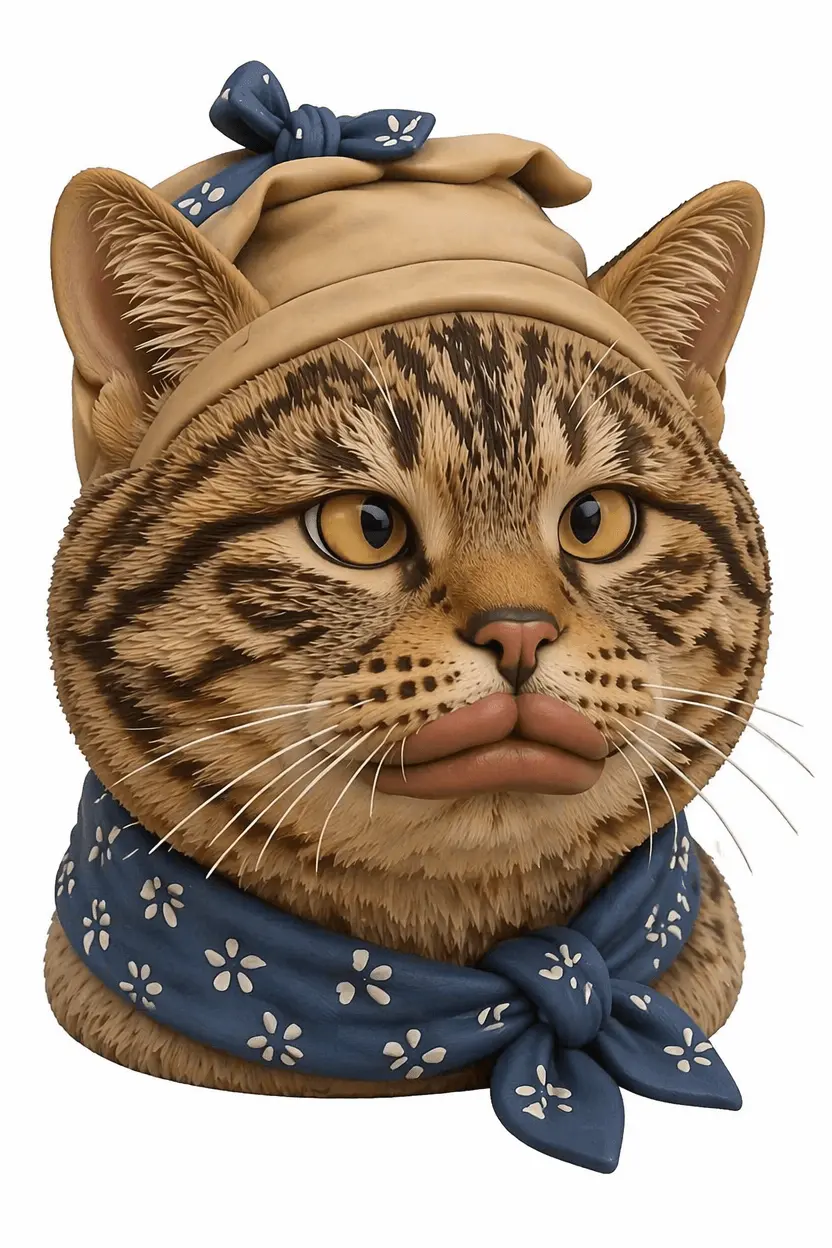
Chibi Cat
A chubby cartoon cat with a little bandana, the kind of thing you'd grab at a designer toy fair. One front view was enough for our image to STL converter to pick up the round body, tiny paws, and the bow on top. Print it, paint the stripes yourself, and you've got a custom desk pet that never asks to be fed.
 Input
InputTextured preview. STL download is mesh only.
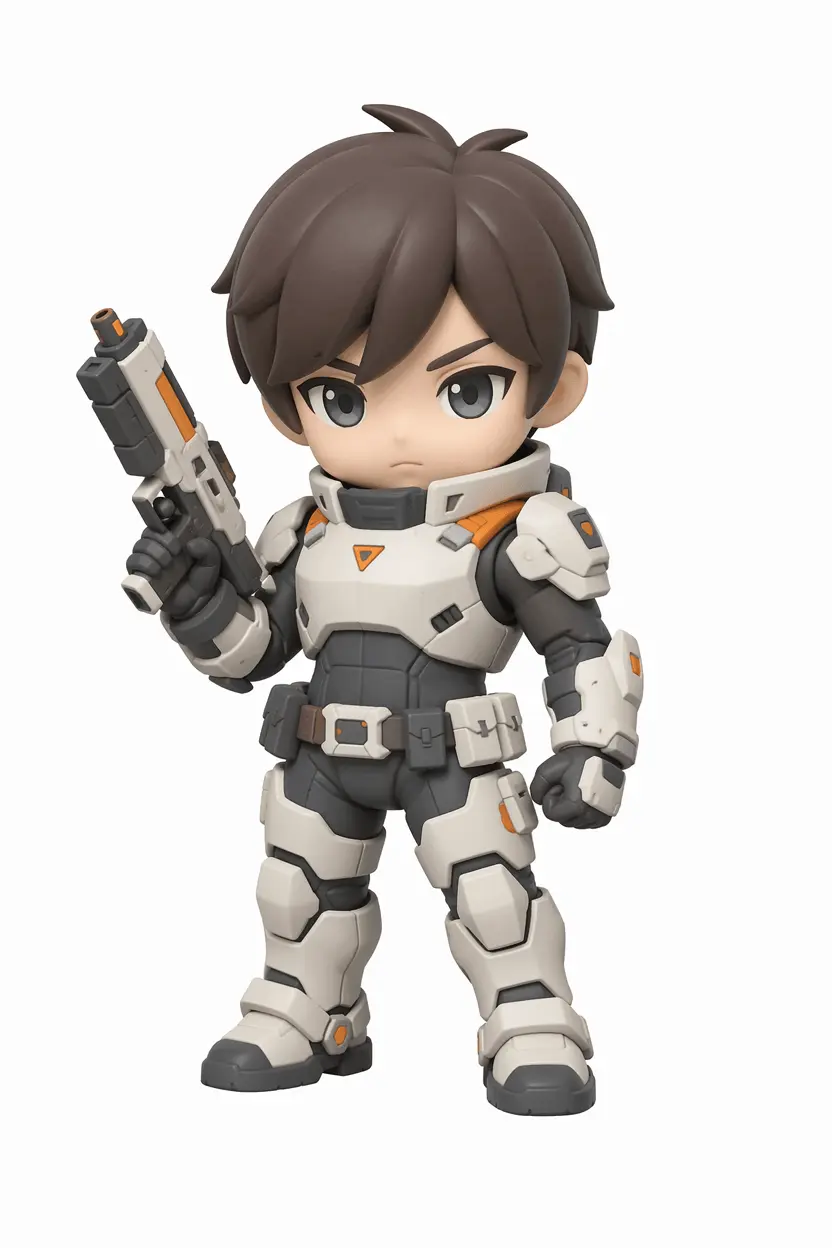
Toy Trooper
A small soldier in white sci-fi armor, holding a chunky blaster. Our image to STL converter kept the proportions right: spiky anime hair, stubby legs, every armor segment readable at small scale. Print one, paint it together with your child, and hand them something they'll actually hold onto.
Image to STL Plans
Pick the plan that fits your image to STL workflow. Cancel anytime.
Max
- 1000 credits per month
- High quality GLB & STL conversion
- 3D model preview in browser
- Fastest processing
- Files private and owned by you
- Priority email support
Pro
- 600 credits per month
- High quality GLB & STL conversion
- 3D model preview in browser
- Priority processing
- Files private and owned by you
- Email support
Credit Packs
One-time payment · No subscription required · Credits never expire
Image to STL FAQ
Common questions from our users. Still stuck? Email us.
What is an image to STL converter?
An image to STL converter turns a 2D photo into a 3D model saved as an STL file. We use AI to read depth from your photo and output a printable mesh.
How does the image to STL work?
Our AI reads the contours and lighting in your photo, estimates the shape, then builds a mesh and exports it as STL. Adding more angles helps fill in the back and hidden sides.
What image formats are supported?
The image to STL uploader accepts JPG and PNG. For best results, use a clear photo with even lighting and a clean background. Harsh shadows and busy backgrounds lower the quality of the mesh.
What other formats can I download besides STL?
Every image to STL conversion can also be exported as GLB, which works in game engines, AR/VR projects, and most 3D modeling software.
Should I use one photo or multiple?
One photo works for most projects. For anything asymmetric or detailed, multi-view image to STL with 2 to 4 angles gives much better coverage on the back and sides.
What do the Standard and HD options change?
Every image to STL job runs at the same level of detail. The Standard and HD options only affect the color texture for previews and GLB export. The mesh is the same either way.
How long does an image to STL conversion take?
Most image to STL jobs finish in a few minutes. Adding HD color texture or running multi-view takes a bit longer, but it is still fast compared to manual modeling.
Can I use my image to STL files commercially?
Yes, on paid plans. Every image to STL file you generate on a paid plan comes with full commercial rights. Sell it online, deliver it to a client, or put it in something you ship.
What if my image to STL result isn't what I expected?
AI results vary between runs, so a retry or a clearer photo often helps. Test with None or Standard texture before spending on HD. Credits are refunded only when a job fails on our side.
Are the image to STL files ready for 3D printing?
Most files open directly in common slicers. If the result is not right, try a clearer photo or upload a few angles so the model has more to work with.
Can I cancel my subscription anytime?
Yes, anytime. Cancel on your billing page in one click. Your image to STL credits stay active until the current billing period ends, so nothing you paid for goes to waste.
Do you offer refunds?
We review requests case by case. Email us within 7 days with what went wrong. To stop renewal, just cancel and your image to STL credits stay active until the period ends.
Start Your First Image to STL Conversion
Drop a photo in and get a printable STL in minutes. No modeling, no setup.